

What are AI Image Generators?
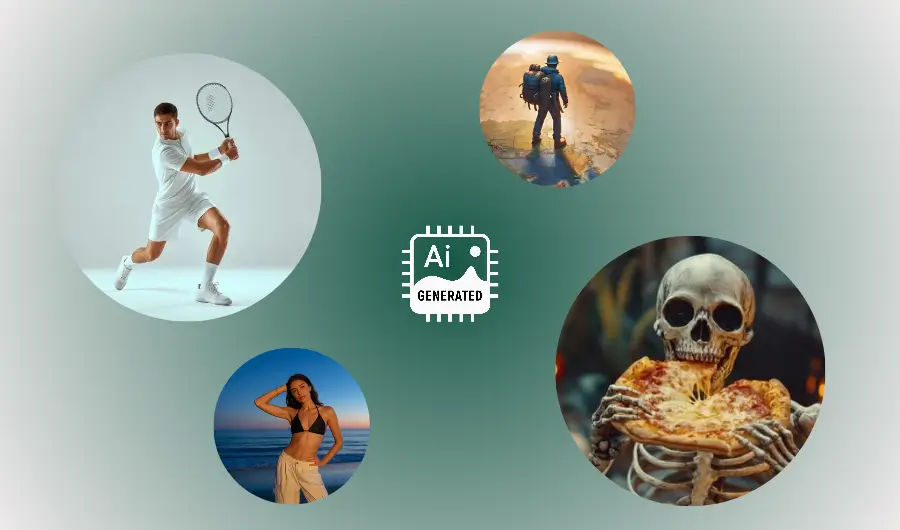
If you’ve ever typed a few words into a box and watched an image appear a few moments later, you’ve met an AI image generator.
At its heart, an AI image generator is software powered by machine learning that creates pictures based on instructions. Those instructions might be a line of text like “a cozy kitchen with morning light”, an existing photo you want altered, or a mix of the two.
The result can be anything from photorealistic scenes to stylized paintings, cartoons, or textures for 3D models. This guide unpacks what AI image generators are, how they work in simple language, what they’re useful for, where they fall short.
A short history on machine image generation
Making images with computers goes back decades: early programmers could draw shapes and patterns by telling a machine where to draw lines and pixels. The big recent leap came when computers started learning patterns from examples instead of being told exact rules.
Around the 2010s, researchers began training systems on millions of images so the computer could learn what “a cat” or “a blue sky” looks like. Over time those learned systems got better at generating new images that looked convincing. Two major families of approaches dominated the scene: one used two neural networks working against each other called GANs, and another used processes that gradually turn noise into an image called diffusion models.
More recently, models that learn to connect text and images together have made text-to-image generation simple: you type a prompt, and the model produces a matching image. The result is a burst of creativity tools available to anyone with an internet connection.
Types of AI image generation
AI image generators come in different flavours depending on their input and goal.
Text-to-image: You give text and get an image. This is the most talked-about category today. Example: “a red bicycle leaning against a yellow wall, cinematic lighting.” The model interprets the words and produces an image.
Image-to-image: You give an image and ask for a change. This can be simple (apply a filter, colorize) or complex (change the time of day, replace the sky, add objects).
Inpainting / Outpainting: Editing a part of an image (inpainting) — like removing or replacing an object — or expanding an image beyond its original frame (outpainting).
Style transfer: Apply the look of one image (say, Van Gogh’s brushwork) to another. It blends content and style.
Conditional generation: Create images from structured inputs like sketches, depth maps, or segmentation maps. Useful in design and animation pipelines.
Different tools focus on one or more of these modes. Some allow fine control over the output (size, randomness, color palette), others trade control for speed and simplicity.
How AI Image Generators work
Under the hood, these systems learn by looking at huge collections of images (and often captions or tags describing them). Think of the model as a really fast pattern-spotter. While it doesn’t “understand” images the way humans do, it becomes very good at predicting what pixels should look like given some condition (like a text prompt).
Here’s a simple breakdown of the common parts and ideas:
1. Learning from examples (training):
Models are trained on large datasets of images paired with labels, captions, or tags. During training, the model adjusts internal settings (weights) to get better at matching inputs to outputs. This is like practicing drawing many variations of the same subject until you can reproduce the style and structure reliably.
2. Two leading approaches:
GANs (Generative Adversarial Networks): Two networks play a game: one tries to create images, the other tries to judge whether an image is fake or real. Over time the generator improves to fool the judge. GANs were once the star of image generation because they could create sharp images, but they can be tricky to train and less stable for large, diverse datasets.
Diffusion models: Start with random noise and gradually remove that noise in a sequence of steps until an image appears. The model learns how to reverse a process that adds noise to images. Diffusion models became very popular because they’re robust and can produce high-quality results across many styles.
3. Linking words and pictures: For text-to-image, models must connect words to visual concepts. They do this by learning a shared representation where words and image features live in the same “space.” In practice, that means the model can map the idea “sunset over mountains” to visual patterns that look like warm skies, silhouettes, and layered ridgelines.
4. Sampling and randomness: When a generator makes an image, it uses a degree of randomness so outputs vary. Some systems let you control this, lower randomness yields safer, more repeatable images; higher randomness yields more creative, varied outputs.
5. Fine-tuning and conditioning: Models can be specialized: trained further on a smaller dataset to capture a particular style (fine-tuning) or set to follow templates like a specific art movement or camera lens behavior (conditioning). That’s how a generator can mimic watercolor or the look of a vintage film camera.
Writing AI Image prompts
A lot of results hinge on how you describe what you want. Prompt writing, more formally called "Prompt Engineering" is the art of clearly telling the model what to create. Start with the essentials: subject, action, setting, then add stylistic details, camera or design specs if you want realism, and mood or lighting cues.
Example:
Basic: “A fox in a forest.”
Better: “A curious red fox sitting on a mossy log in a misty forest at dawn, soft warm light, photorealistic, shallow depth of field.”
You can iterate: run several prompts, keep the best parts, and combine them. Many platforms offer negative prompts (what to avoid) and parameters for aspect ratio, resolution, and how literal the generator should be.
Typical use cases of AI Image Generators
AI image generators are useful across many fields:
Creative arts: Artists use them for inspiration, mood boards, or finished work. They speed up ideation and can generate variations quickly.
Design and advertising: Rapid mockups, concept images, and visual drafts help teams iterate without hiring a full photographer or illustrator immediately.
Game and film prototyping: Concept art, background scenes, or texture ideas can be produced fast for storyboards or asset planning.
Education and visualization: Teachers and students can make illustrations for complex topics, maps, or diagrams.
E-commerce and marketing: Product visualizations, stylized photos, or ad variants.
Accessibility: Generate visual explanations for people with hearing or cognitive challenges.
Each use comes with trade-offs: speed and low cost vs. the need for careful review, especially when accuracy or legal ownership matters.
Limitations of AI Image Generators
AI image generators are powerful, but they aren’t perfect.
Mismatched details: Models sometimes get fine details wrong; wrong numbers on signs, extra fingers on hands, or distorted logos.
Bias & representation: The training data influences outputs. If a dataset overrepresents certain people or aesthetics, the model’s outputs will reflect that bias.
Copying styles: Generators can inadvertently reproduce a living artist’s distinctive work or mimic copyrighted imagery exactly, a legal and ethical gray area.
Context and semantics: Models don’t truly “understand” stories; they pattern-match. So they can place objects in physically unrealistic ways.
Quality vs. control: Highly stylized or photorealistic images may require careful parameter tuning and post-editing.
Expect to curate and edit outputs rather than get perfect results on the first try.
Conclusion
Think of AI image generators as collaborators: they’re fast, imaginative, and sometimes surprising, but they need direction, curation, and ethical judgement. For beginners, they offer an immediate way to explore visual ideas without technical barriers. For experts, they provide new tools for prototyping, creativity, and problem-solving.
Whichever camp you’re in, the best outcomes come from thoughtful prompts, iterative refinement, and responsible use. Use the tools to amplify your creativity, not replace the critical thinking that makes creations meaningful.
AI Informed Newsletter
Stay informed on the fastest growing technology.
Disclaimer: The content on this page and all pages are for informational purposes only. We use AI to develop and improve our content — we love to use the tools we promote.
Course creators can promote their courses with us and AI apps Founders can get featured mentions on our website, send us an email.
Simplify AI use for the masses, enable anyone to leverage artificial intelligence for problem solving, building products and services that improves lives, creates wealth and advances economies.
A small group of researchers, educators and builders across AI, finance, media, digital assets and general technology.
If we have a shot at making life better, we owe it to ourselves to take it. Artificial intelligence (AI) brings us closer to abundance in health and wealth and we're committed to playing a role in bringing the use of this technology to the masses.
We aim to promote the use of AI as much as we can. In addition to courses, we will publish free prompts, guides and news, with the help of AI in research and content optimization.
We use cookies and other software to monitor and understand our web traffic to provide relevant contents, protection and promotions. To learn how our ad partners use your data, send us an email.
© newvon | all rights reserved | sitemap